


There’s a specific kind of panic that hits when you realize a photo is gone. Not backed up, not in the trash — just gone. Maybe your phone crashed mid-sync. Maybe you hit “delete all” when you meant something else entirely. Maybe a factory reset wiped everything before you had a chance to think. Whatever happened, that sinking feeling is universal.
Here’s the thing though — deleted doesn’t always mean destroyed. Android devices don’t instantly erase files the moment you remove them. They mark that space as available and wait. If you act fast and use the right tool, there’s a real chance of getting your data back.
These five tools are worth your time. One of them is worth your money too.
Table of Contents
1. Stellar Data Recovery for Android — Best Overall
This is the one I’d point anyone toward first, no hesitation.
Stellar has been in the data recovery business long enough to know what actually matters to users — and it shows in how this software is built. It’s not flashy. It doesn’t promise the moon. It just works, and it works without asking you to do anything risky to your phone first.
That last part matters more than people think. A lot of recovery tools push you toward rooting your device before they’ll do anything useful. Rooting voids your warranty, it can destabilize your phone, and frankly it’s just not something most people should be doing. Stellar skips all of that.
The setup is straightforward. Install the software on your Windows PC, connect your Android via USB, enable USB debugging (the app walks you through it), and let it scan. What it looks for is genuinely comprehensive — photos, videos, audio, contacts, call history, text messages, documents, and WhatsApp chats, including WhatsApp Business attachments.
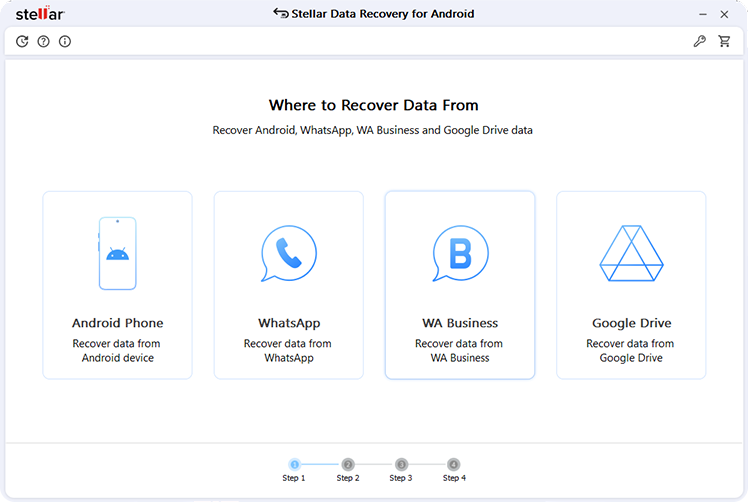
One thing that surprised me is how it handles phones with broken screens. If your device powers on but the display is dead or unresponsive, Stellar can still scan it. Most tools just shrug at that scenario. This one doesn’t.
WhatsApp recovery is worth calling out separately because it goes further than the competition. It can pull deleted chats from Google Drive backups, not just local storage. Just keep in mind that if you’re on Android 15 or 16, encrypted WhatsApp backups have some restrictions baked in by Google and WhatsApp themselves — that’s a platform limitation, not a Stellar one.
Before you pay a single dollar, you get to see everything. The preview is detailed — actual thumbnails of your photos, readable message previews, contacts listed by name. You know exactly what you’re getting back before you decide whether it’s worth recovering.
What’s free: The free version lets you scan your entire device, preview every recoverable file, and actually recover up to 10 files — with each file up to 10 MB — at no cost. That’s a real free tier, not just a demo. For some people, it’ll be all they need. For others, seeing exactly what’s recoverable before buying is worth the download alone. It supports Android 6.0 all the way through Android 16, and covers every major brand — Samsung, OnePlus, OPPO, Vivo, Xiaomi, and more.
Best for: Anyone who wants a trustworthy, no-root recovery tool with solid WhatsApp support and no nasty surprises.
2. Wondershare Dr.Fone — Best for Feature Breadth
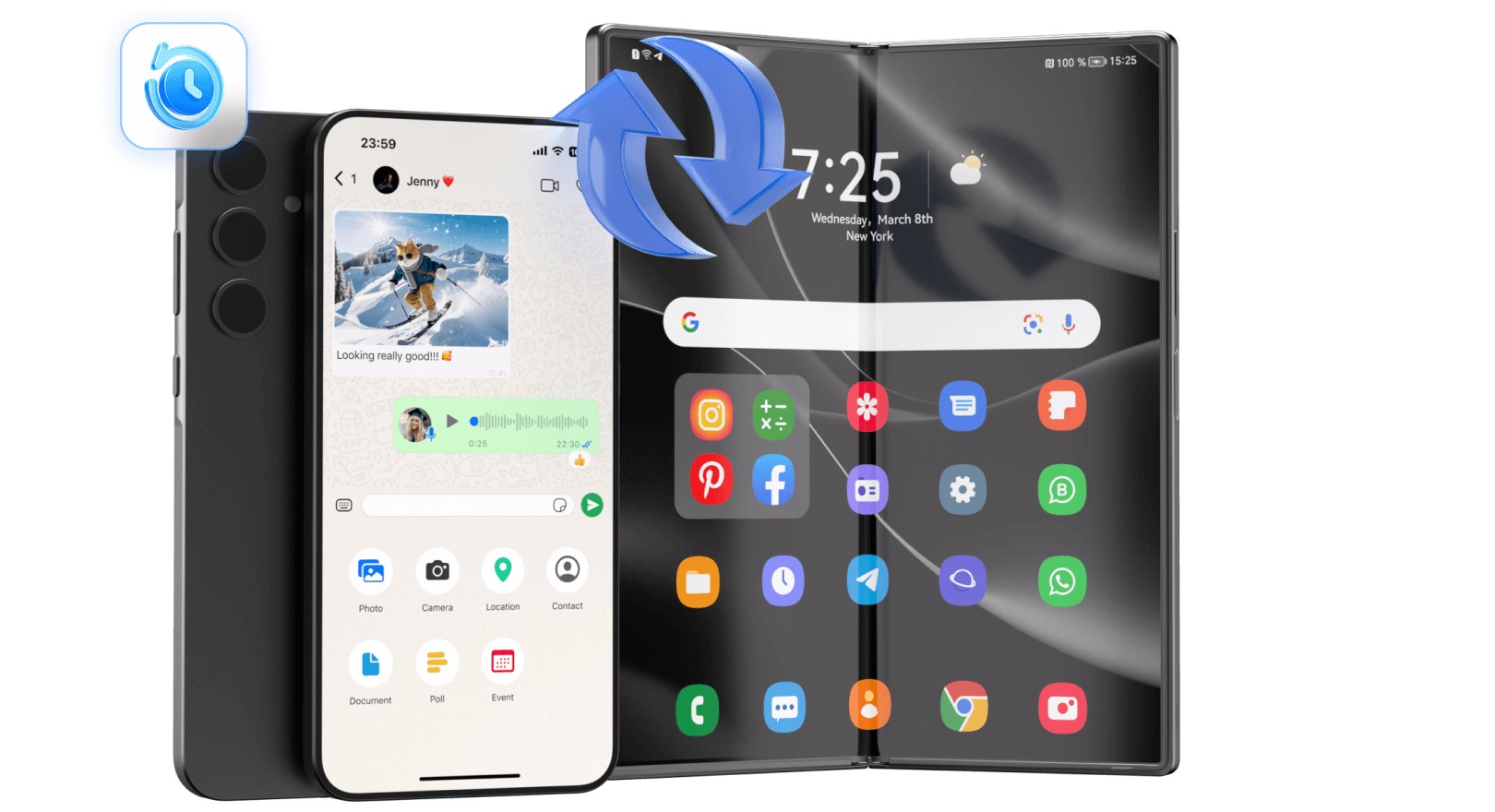
Dr.Fone is what happens when a company decides to solve every Android problem in one app. Data recovery is what it’s best known for, but the software also handles backups, phone transfers, system repairs, and more. Whether that’s a selling point or just bloat depends entirely on what you need.
On the recovery side, it’s genuinely capable. It works across more than 6,000 device models, pulls data from internal storage, SD cards, and Google Drive, and covers all the file types you’d expect — photos, contacts, messages, WhatsApp, documents. The interface holds your hand throughout the process, which is either reassuring or patronizing depending on your experience level.
The problem is the price. Data recovery on its own starts at $39.95. The full toolkit climbs to $79.95 per year. If you’re only here because you deleted some photos and want them back, that’s a hard number to swallow when other tools on this list do a comparable job for less. If you’re going to use the whole suite — backups, transfers, the works — it starts to make more sense as an annual investment.
Best for: Users who want one app to handle everything Android-related and are comfortable paying for it.
3. EaseUS MobiSaver for Android — Best Free Option
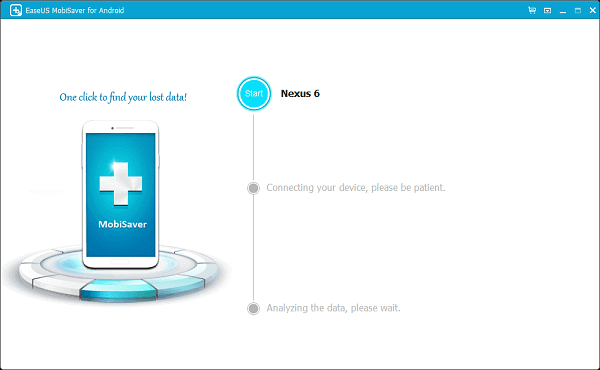
EaseUS has been around long enough that it doesn’t need to oversell itself, and MobiSaver reflects that quiet confidence. The interface is clean, the process is simple — connect, scan, pick what you want — and the free tier is more useful than most competitors bother to offer.
It covers the bases: photos, videos, contacts, messages, documents. Works with over 6,000 Android phones and tablets, reads from both internal memory and SD cards. For the average person who deleted something by accident and needs it back quickly, this tool removes all the friction.
Push it into harder territory and it starts to struggle. Severely corrupted storage, complex recovery scenarios, large batches of files — the free version hits its ceiling fast, and even the paid upgrade isn’t as deep as tools like Stellar when things get complicated. But for a straightforward “I deleted photos and I need them back” situation, it’s a perfectly reasonable starting point that costs nothing to try.
Best for: Casual users who want a clean, free tool for simple recovery without any learning curve.
4. DiskDigger — Decent for Basic Photo Recovery, Not Much Else
DiskDigger shows up on a lot of “best of” lists, and while it’s not a bad tool, the praise it receives often outpaces what it actually delivers.
It does one thing reasonably well — recovering deleted photos and videos. The free version lets you go after an unlimited number of them, which sounds more impressive than it sometimes is in practice. The basic scan on unrooted devices is limited to cached and temporary files, so if the files you’re looking for aren’t close to the surface, you’ll hit a wall pretty quickly. Getting past that wall requires rooting your device, which most everyday users don’t want to deal with — and for good reason.

Beyond photos and videos, DiskDigger offers very little. No contact recovery. No message recovery. No WhatsApp support. If your data loss goes beyond a deleted camera roll, this tool isn’t going to help much. The interface also feels dated and is more comfortable for technical users than for someone who just wants to click through a process without second-guessing themselves.
It’s not broken. For a narrow use case — grabbing a few recently deleted photos from an unrooted phone — it gets the job done without charging you anything. But if you’re dealing with anything more serious, or you just want a tool that gives you confidence throughout the process, there are better options on this list.
Best for: Users with modest expectations who need a free starting point for basic photo recovery and nothing more.
5. FonePaw Android Data Recovery — Best for Selective Recovery
FonePaw tends to fly under the radar, which is a shame because it earns its place on this list. The scanning engine is reliable, the interface is well thought out, and the way it organizes recovered files makes the whole experience feel less overwhelming than it usually is with tools like this.
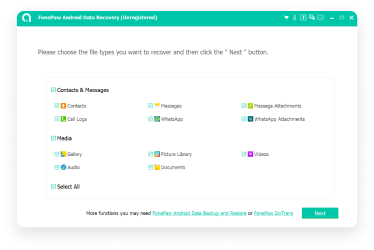
It pulls photos, videos, documents, and text files from both internal storage and SD cards. Exported files can be saved in multiple formats including CSV and HTML, which is a small but useful touch for anyone who needs to do something specific with the recovered data afterward.
No root access required, so your warranty stays intact. The preview lets you browse everything by category before saving a single file — which turns out to matter a lot when a deep scan surfaces hundreds of results you don’t actually want.
The downsides are real. Scans on devices with large storage take a while. And the supported Android range stops at version 9.0, which means anyone on a newer flagship — and at this point that’s a lot of people — may find full functionality out of reach. Check compatibility before you spend anything.
Best for: Users who want to handpick exactly what they recover and appreciate a clean, organized interface to do it with.
Quick Comparison
| Tool | Root Required | Free Tier | WhatsApp Recovery | Best For |
|---|---|---|---|---|
| Stellar Data Recovery | No | Yes (10 files) | Yes, incl. Google Drive | Overall best pick |
| Wondershare Dr.Fone | No | Trial only | Yes | Feature-rich toolkit |
| EaseUS MobiSaver | No | Yes (limited) | Limited | Budget/casual users |
| DiskDigger | Optional | Yes (photos/video) | No | Basic photo recovery only |
| FonePaw | No | Trial only | Yes | Selective recovery |
Final Word
The moment you realize your data is gone, stop using your phone. Seriously — put it down. Every tap, every photo taken, every app opened chips away at the window for recovery. Deleted files don’t disappear instantly; they get overwritten gradually. The less you do on the device after the loss, the better your odds.
Start with Stellar. The free scan shows you exactly what’s recoverable before you commit to anything, and for some users the 10-file free recovery limit will be all they need. If the situation is more serious — a large batch of files, a corrupted device, or years of WhatsApp history — the paid version is fairly priced for what it delivers.
The other tools on this list each have a legitimate use case. But if you’re stressed about lost data and just want the most reliable shot at getting it back, Stellar is where that search ends.